Losing your house keys or getting locked out of your home triggers an immediate wave of panic. Whether your keys slipped through a drain cover, were stolen, or you simply need to grant immediate access to a tradesperson while stuck at work, the traditional response—calling an expensive locksmith to drill out your cylinder—is no longer your only option.
With same-day delivery and big-box hardware store availability, an emergency smart lock upgrade can resolve your access crisis in under 30 minutes while permanently eliminating physical key anxiety.
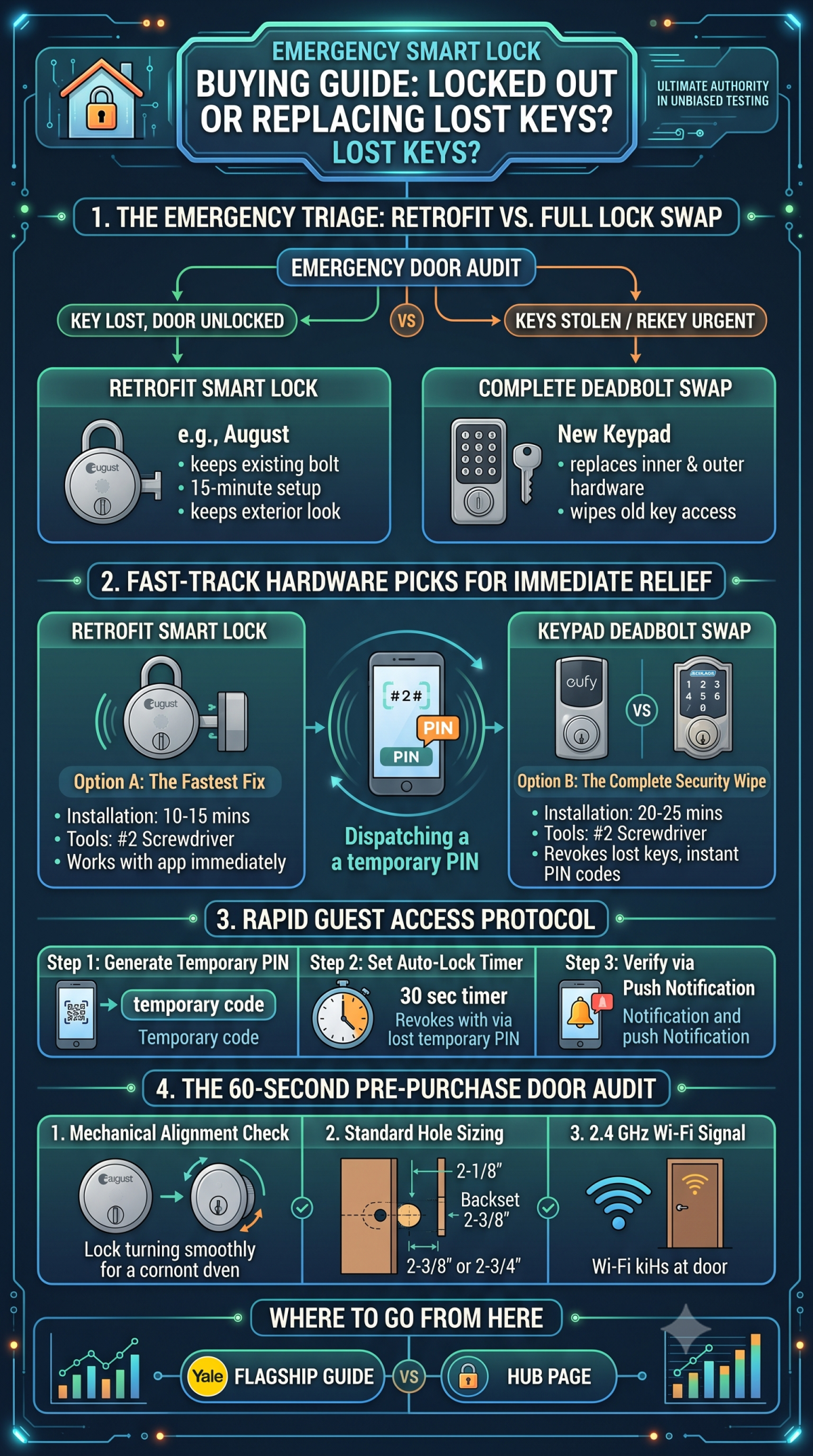
1. The Emergency Triage: Retrofit vs. Full Lock Swap
When speed is your top priority, you must immediately determine which installation path matches your situation:
                          ┌───────────────────────────┐
                          │   EMERGENCY DOOR AUDIT    │
                          └───────── ┬─────────────┘
                                           │
             ┌──────────────────────────┴──────────────────────────┐
             ▼                                                     ▼
┌─────────────────────────┐                           ┌─────────────────────────┐
│ Exterior Keys Lost,     │                           │ Keys Stolen /           │
│ But Door Unlocked       │                           │ Rekey Urgently Needed   │
└────────────┬────────────┘                           └────────────┬────────────┘
             ▼                                                     ▼
┌─────────────────────────┐                           ┌─────────────────────────┐
│ RETROFIT SMART LOCK     │                           │ COMPLETE DEADBOLT SWAP  │
│ • Keeps existing bolt   │                           │ • Replaces inner &      │
│ • 15-minute setup       │                           │   outer hardware        │
│ • Keeps exterior look   │                           │ • Wipes old key access  │
└─────────────────────────┘                           └─────────────────────────┘
> Crucial Distinction: If your keys were stolen alongside identification showing your home address, you must perform a full deadbolt replacement (or rekey the cylinder) so the old physical keys no longer open the door.
2. Fast-Track Hardware Picks for Immediate Relief
If you need a solution picked up from a local store or delivered within hours, these are the most reliable emergency choices:
Option A: The Fastest Fix — Retrofit Smart Locks
Option B: The Complete Security Wipe — Keypad Deadbolt Swaps
3. Dispatching Guest Codes in Under 5 Minutes
If you are stuck at work and need to let someone in right now (or need to give temporary access to a dog-walker or contractor), follow this 3-step rapid dispatch protocol once your smart lock is active:
1. Generate a One-Time or Temporary PIN: Avoid sharing your master admin code. In your lock's companion app, create a temporary PIN valid only for the next 2 hours.
2. Set an Auto-Lock Timer: Enable an aggressive auto-lock delay (e.g., 30 seconds to 2 minutes) so the door automatically secures itself behind the visitor without requiring manual locking.
3. Verify via Push Notification: Monitor the app activity log to confirm when the code was entered and when the bolt locked back into place.
> Pro Tip for Property Managers: If you manage multiple guest access instances daily, manual code creation quickly becomes unmanageable. Review our comprehensive [Airbnb & Short-Term Rental Host Playbook] for step-by-step instructions on pairing locks directly with Property Management Systems (PMS) for fully automated access generation.
4. The 60-Second Pre-Purchase Door Audit
Before running to the hardware store or ordering same-day delivery, take one minute to check these three physical door requirements:
Where to Go From Here
Once your immediate access crisis is resolved, explore our core testing resources to optimize your permanent smart home setup: